



调试OK,开始运行后先输入一个端口号,网络设备连接到树莓派的IP地址上的这个端口上,就会提示有新的客户端连接进来,网络和串口发送的信息会同步显示到LX终端上,支持多客户端接入,只支持一个串口,既ttyAMA0,115200-n-8-1
代码回复可见
——回复可见内容——
下载地址

到手玩了几天,差不多熟悉了,不过想想用什么写程序呢?记事本?打死我也不干了,现在看到记事本还恶心呢,稍微靠谱点的一个是安卓,一个就是QT4了,安卓到目前为止还没有可用的镜像,那就只有QT4了,还等什么,开始干吧。
参考此链接http://qt-project.org/wiki/apt-get_Qt4_on_the_Raspberry_Pi
Using the Raspbian image
apt-getFirstly I got the development tools needed by Qt Creator in the hope it would be less heavy for the Pi to download separately.
- sudo apt-get install qt4-dev-tools
Then I went for Qt Creator
- sudo apt-get install Qtcreator
I also installed
- sudo apt-get install gcc
- sudo apt-get install xterm
- sudo apt-get install git-core
-
sudo apt-get install subversion
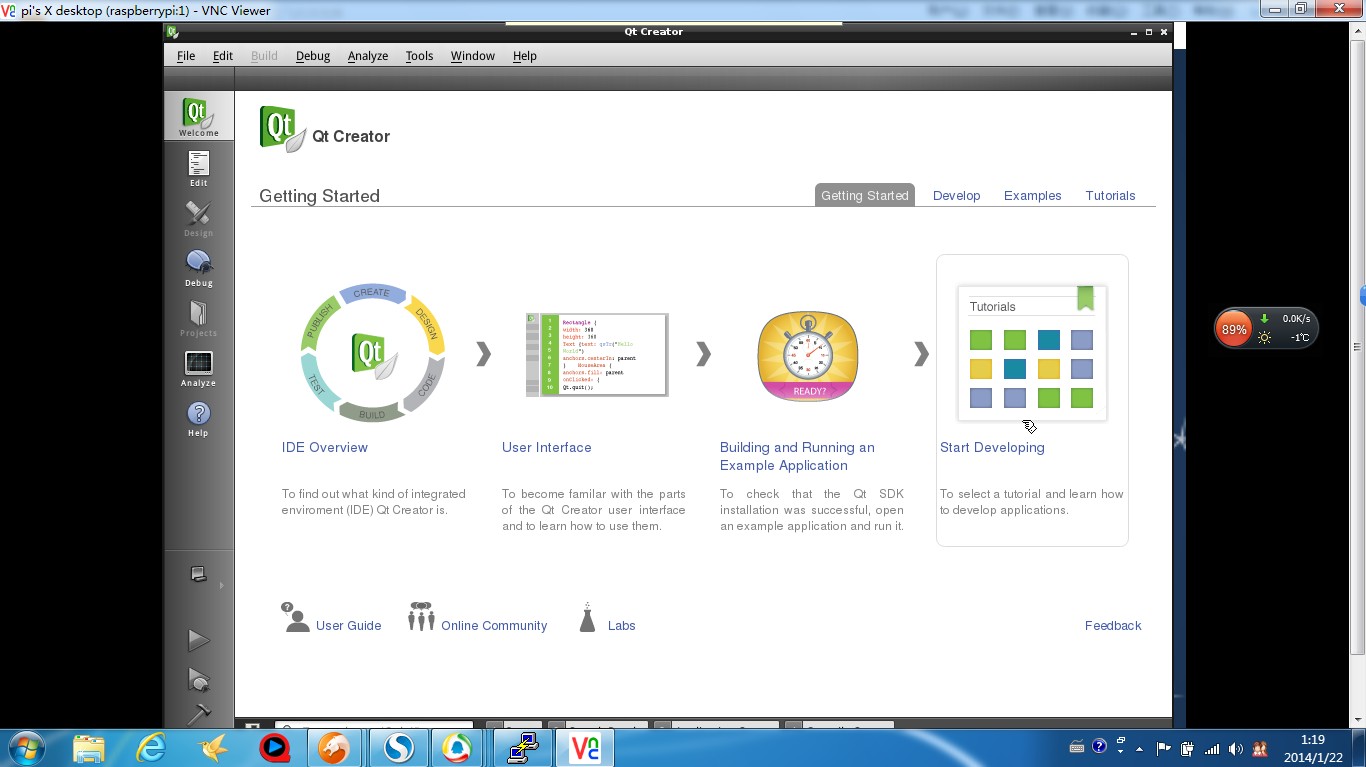
this gives as a result Qt Creator 2.5 with Qt 4.8.1 32 bit
We can only compile for remote embedded devices and this is not the case here, because we are on the Pi and not remotely accessing it.
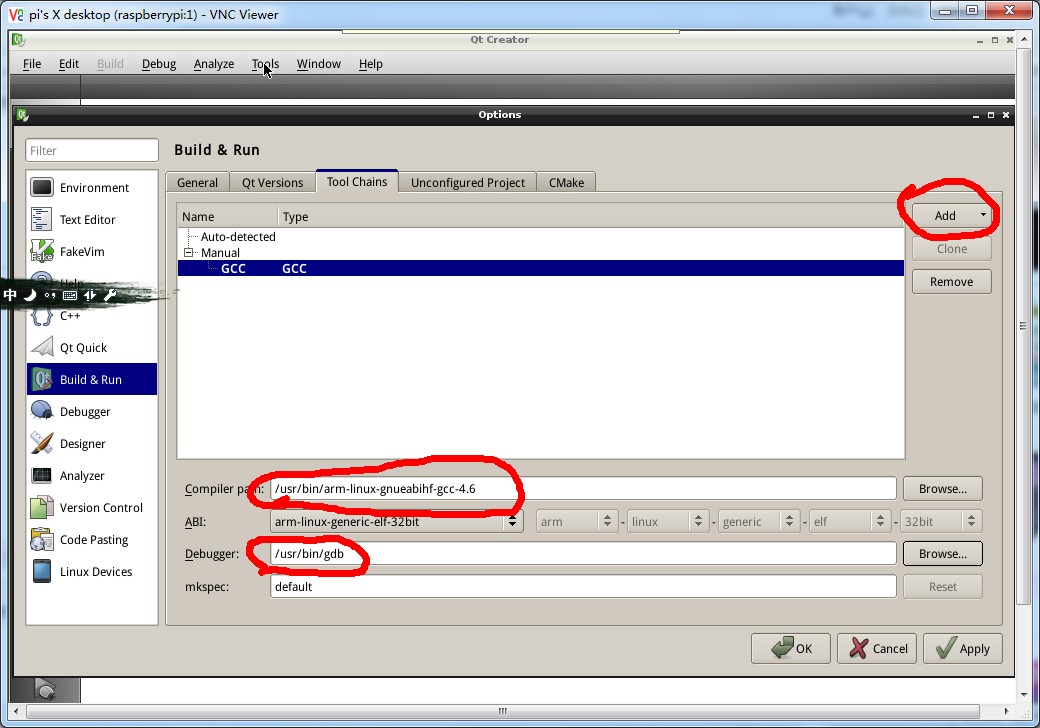
添加工具链
I added a gcc toolchain
tools>Options > build & run > tab tool chain > button add
Choose GCC
- Then set compiler path : /usr/bin/arm-linux-gnueabihf-gcc-4.6
- Debugger : /usr/bin/gdb
- Mkspec : default
To fix this :
- Go to menu help > about plugins
- Uncheck device support > remote linux
- Restart Qt Creator
- Go to tools > options TAB > build & run > Qt versions > add “/usr/bin/qmake-qt4”
It will then show up as a desktop project in the project wizard instead of embedded.
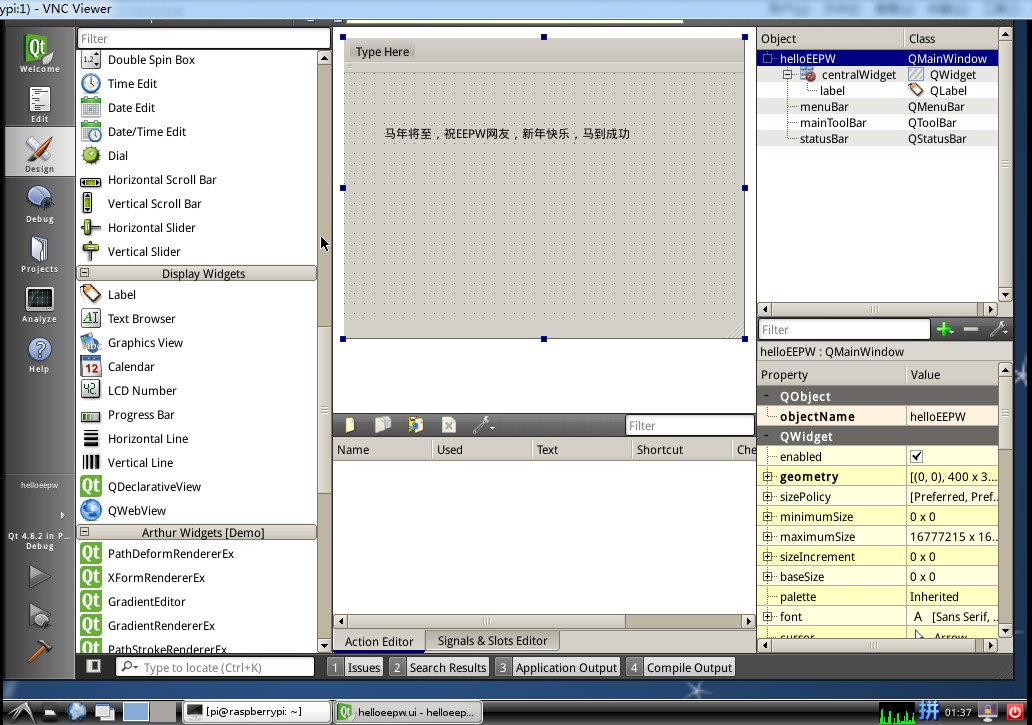
如果出现e: unable to locate package qt creator或E:者未发现软件包qt creator,请尝试sudo apt-get update 和 sudo apt-get upgrade
如果还是有问题,尝试sudo apt-get install qtcreator(小写,因为Linux里面大小写是严格区分的)


回复
 我要赚赏金打赏帖 |
|
|---|---|
| bsp_log:RTT分级日志封装被打赏¥16元 | |
| J-LinkRTT常用API函数讲解被打赏¥14元 | |
| 【S32K3学习整理】S32K388 四核启动被打赏¥23元 | |
| 【S32K3学习整理】Lockstep和Decoupled 模式被打赏¥28元 | |
| 嵌入式芯片调试神器-J-LinkRTT被打赏¥21元 | |
| 人体红外PIR感应传感器使用(ESP32S3)被打赏¥26元 | |
| 一种有效完成脚本程序测试的方法被打赏¥28元 | |
| WorkBuddy搭配SolidCraft给开发板做两件式外壳被打赏¥33元 | |
| 开箱一块k230被打赏¥33元 | |
| 【瑞萨RA8D1测评】RA8D1+lwIP网络验证与TCPOTA的实验记录被打赏¥33元 | |
 STM32
 MCU
 通讯及无线技术
 物联网技术
 电子DIY
 板卡试用
 基础知识
 软件与操作系统
 我爱生活
 小e食堂


