
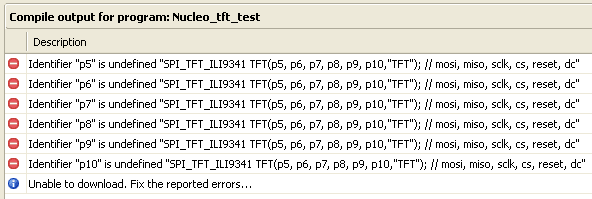
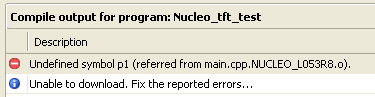
计划弄个彩色屏幕,其实卓大好久前就弄好了,只是没有发帖子,也学着弄吧,其间出现各种错误,感谢卓大的指导
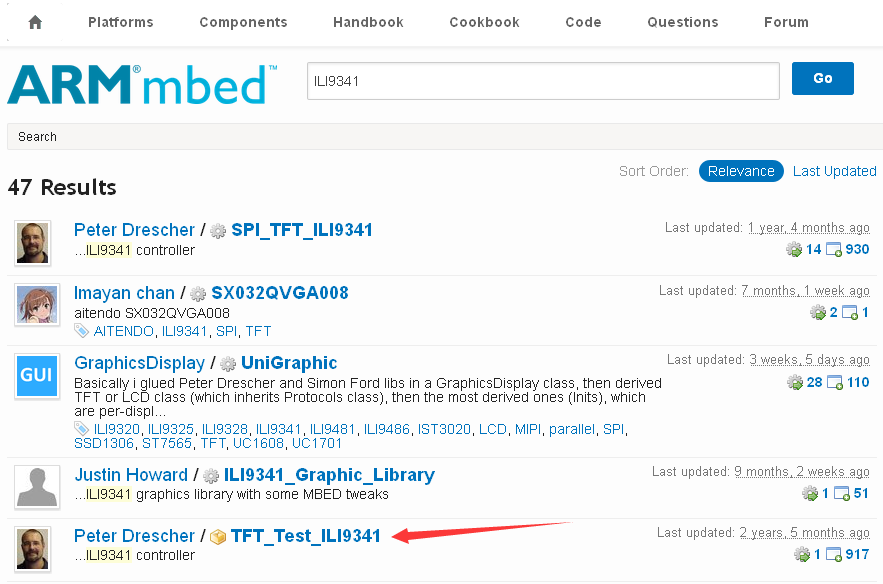
首先找到一块SPI_TFT_ILI9341屏幕,这个是香蕉派上的,怎么接线呢,一头雾水


写了一段小程序,其实是假的小游戏,有机会实现吧
// example to test the TFT Display
// Thanks to the GraphicsDisplay and TextDisplay classes
// test2.bmp has to be on the mbed file system

#include "stdio.h"
#include "mbed.h"
#include "SPI_TFT_ILI9341.h"
#include "string"
#include "Arial12x12.h"
#include "Arial24x23.h"
#include "Arial28x28.h"
#include "font_big.h"

#include <time.h>
#include <stdlib.h>

SPI_TFT_ILI9341 TFT(D11, D12, D13, D10, D9, D8, "TFT"); // mosi, miso, sclk, cs, reset, dc

int x=20;
int y=60;
int dx=10;
int dy=10;
int l=20;
int x1=0;
int x2=0;
int x3=0;
int main()
{

    TFT.claim(stdout);      // send stdout to the TFT display

    TFT.foreground(White);
    TFT.background(Blue);

    TFT.set_orientation(1);
    TFT.cls();

    TFT.set_font((unsigned char*) Neu42x35);
    TFT.locate(40,5);
    TFT.printf("Hello Mbed");

    TFT.rect(10,50,310,230,Red);

    TFT.set_font((unsigned char*) Arial24x23);
    srand(time(0));

    while(1) {
        x3=x;
        x1=x-l;
        x2=x+l;
        if (x1<12) x1=12;
        if (x2>307) x2=307;
        TFT.foreground(White);
        TFT.locate(x,y);
        TFT.printf("o");
        TFT.fillrect(x1,225,x2,228,Yellow);
        wait(0.1);
        TFT.foreground(Blue);
        TFT.locate(x,y);
        TFT.printf("o");
        TFT.fillrect(x1,225,x2,228,Blue);
        x+=dx;
        y+=dy;
        if (x>280) {
            x=280;
            dx=-(rand()%30+20);
        }
        if (x<30) {
            x=30;
            dx=(rand()%30+20);
        }
        if (y>200) {
            y=200;
            dy=-(rand()%30+20);
        }
        if (y<70) {
            y=70;
            dy=(rand()%30+20);
        }
    }
}
 我要赚赏金打赏帖 我要赚赏金打赏帖 |
|
|---|---|
| 【S32K3学习整理】使用 LPUART 的loopback 模式实现核间通讯被打赏¥28元 | |
| arduinounoq原生zephyr环境搭建被打赏¥31元 | |
| 树莓派3+Klipper,MPU6050共振补偿被打赏¥41元 | |
| GroveCreatorKit套件+摇杆测评被打赏¥18元 | |
| 设备功耗web监控界面(ESP32C5)被打赏¥28元 | |
| OrangePiZero2W系统被打赏¥33元 | |
| Linux环境下以模拟方式快速实现出入管理功能测试被打赏¥24元 | |
| 树莓派3+Klipper,老3D打印机满血升级被打赏¥33元 | |
| OK1126B-S开发板下串口屏及其应用被打赏¥21元 | |
| 低功耗超声波液位测距仪(ESP32S3)被打赏¥27元 | |





 STM32
STM32 MCU
MCU 通讯及无线技术
 物联网技术
物联网技术 电子DIY
电子DIY 板卡试用
板卡试用 基础知识
基础知识 软件与操作系统
 我爱生活
我爱生活 小e食堂
小e食堂

