
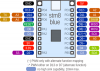

本次参加活动主题为:【e起DIY】低功耗蓝牙温湿度计
板卡很早就收到了
那么先来个开箱图

接下来接到了重头戏部分
硬件连接与平台搭建
• 搭建 Zephyr 开发环境,安装 west 工具链与 SDK
• 验证开发板可通过 MCU-Link 调试接口正常烧录程序
此处本人选择的是在linux实
体机上根据zephyr官方操作手册搭建开发环境
https://docs.zephyrproject.org/latest/boards/nxp/frdm_mcxw71/doc/index.html
此链接是有关如何编译mcxw71固件的说明
https://docs.zephyrproject.org/latest/develop/getting_started/index.html
初次安装可以参考这个链接
本次使用的是基于linux的ubuntu实体机
跟着手册一步一步操作
sudo apt update
sudo apt upgrade

sudo apt install --no-install-recommends git cmake ninja-build gperf \
  ccache dfu-util device-tree-compiler wget python3-dev python3-venv python3-tk \
  xz-utils file make gcc gcc-multilib g++-multilib libsdl2-dev libmagic1

python3 -m venv ~/zephyrproject/.venv

source ~/zephyrproject/.venv/bin/activate

pip install west

west init ~/zephyrproject
cd ~/zephyrproject

west update

west zephyr-export

west packages pip --install
执行完之后,还需要安装Zephyr SDK
cd ~/zephyrproject/zephyr
west sdk install
至此开发环境已配置完毕
具体配置时间长短取决于个人网络环境,这个因人而异.
本次笔者决定在windows环境下使用vscode 通过 ssh 远程到 linux实体机进行app应用的开发工作

这个是整体的工程目录
我们可以将例程代码从zephyr目录下复制到app目录下面
每次想要开发的话需要首先执行
source ~/zephyrproject/.venv/bin/activate
加载环境变量

这样就能愉快的开发了
进入到应用程序目录cd app/blinky

更新应用程序源代码,通过串口打印eepw 用户名
/*
 * Copyright (c) 2016 Intel Corporation
 *
 * SPDX-License-Identifier: Apache-2.0
 */

#include <stdio.h>
#include <zephyr/kernel.h>
#include <zephyr/drivers/gpio.h>

/* 1000 msec = 1 sec */
#define SLEEP_TIME_MS   50

/* The devicetree node identifier for the "led0" alias. */
#define LED0_NODE DT_ALIAS(led0)

/*
 * A build error on this line means your board is unsupported.
 * See the sample documentation for information on how to fix this.
 */
static const struct gpio_dt_spec led = GPIO_DT_SPEC_GET(LED0_NODE, gpios);

int main(void)
{
    int ret;
    bool led_state = true;

    if (!gpio_is_ready_dt(&led)) {
        return 0;
    }

    ret = gpio_pin_configure_dt(&led, GPIO_OUTPUT_ACTIVE);
    if (ret < 0) {
        return 0;
    }

    while (1) {
        ret = gpio_pin_toggle_dt(&led);
        if (ret < 0) {
            return 0;
        }

        led_state = !led_state;
        printf("LED state: %s\n", led_state ? "ON" : "OFF");

        printf("eepw user: rasngsun\n");

        k_msleep(SLEEP_TIME_MS);
    }
    return 0;
}
使用命令
west build -b frdm_mcxw71/mcxw716c编译应用程序固件

使用west flash下载编译好的固件

通过串口监视器查看串口输出

至此,开箱篇内容结束


 我要赚赏金
我要赚赏金 STM32
STM32 MCU
MCU 通讯及无线技术
 物联网技术
物联网技术 电子DIY
电子DIY 板卡试用
板卡试用 基础知识
基础知识 软件与操作系统
 我爱生活
我爱生活 小e食堂
小e食堂

