

【e起DIY】低功耗蓝牙温湿度计-成果贴
视频地址https://www.bilibili.com/video/BV1TojV68Eou/
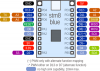
板卡实物图

接下来接到了重头戏部分
蓝牙功能的实现。
启用蓝牙相关配置选项,使用NXP蓝牙APP与开发板建立关联。
蓝牙相关例程本次选择的是
.. zephyr:code-sample:: ble_peripheral_nus:name: Peripheral NUS:relevant-api: bluetoothImplement a simple echo server using the Nordic UART Service (NUS).
此例程在手机和开发板连接之后可实现串口信息打印相关功能
我们将此例程代码与过程贴中的传感器数据读取代码进行融合即可实现任务要求
硬件连接与过程贴保持一致
DFR0588 引脚FRDM-MCXW71(J2 Arduino)说明
| VCC | 3.3V | 模块供电,严禁 5V |
| GND | GND | 共地 |
| TEMP | A0 | 温度模拟电压输出→ADC0 通道 0 |
| HUM | A1 | 湿度模拟电压输出→ADC0 通道 1 |
下面上硬件框图

软件流程图

pro.conf
CONFIG_ADC=y
CONFIG_REQUIRES_FLOAT_PRINTF=y
CONFIG_CBPRINTF_FP_SUPPORT=y

CONFIG_BT=y
CONFIG_BT_PERIPHERAL=y
CONFIG_BT_ZEPHYR_NUS=y
设备树与过程贴保持一致
/*
 * Copyright 2024 NXP
 * SPDX-License-Identifier: Apache-2.0
 */

#include <zephyr/dt-bindings/adc/adc.h>
#include <zephyr/dt-bindings/adc/mcux-lpadc.h>

/ {
	zephyr,user {
		io-channels = <&adc0 0>, <&adc0 1>;
	};
};

&adc0 {
	#address-cells = <1>;
	#size-cells = <0>;

	/* voltage-ref = <0> 表示使用 Alt1,即 VREFH/3.3V(而非默认 1.8V) */
    voltage-ref = <0>;
    /* 告诉驱动 VREFH=3300mV,用于计算实际电压值 */
    nxp,references = <&vref 3300>;

	channel@0 {
		reg = <0>;
		zephyr,gain = "ADC_GAIN_1";
		zephyr,reference = "ADC_REF_EXTERNAL0";
		zephyr,acquisition-time = <ADC_ACQ_TIME_DEFAULT>;
		zephyr,resolution = <12>;
		zephyr,vref-mv = <3300>;

		/* channel 0 ptd1 adc0_b5 MCUX_LPADC_CH1B */
		zephyr,input-positive = <MCUX_LPADC_CH1B>;
	};

	channel@1 {
		reg = <1>;
		zephyr,gain = "ADC_GAIN_1";
		zephyr,reference = "ADC_REF_EXTERNAL0";
		zephyr,acquisition-time = <ADC_ACQ_TIME_DEFAULT>;
		zephyr,resolution = <12>;
		zephyr,vref-mv = <3300>;

        /* channel 1 ptd2 adc0_a6 MCUX_LPADC_CH2A */
		zephyr,input-positive = <MCUX_LPADC_CH2A>;
	};
};
软件代码
/*
 * Copyright (c) 2020 Libre Solar Technologies GmbH
 *
 * SPDX-License-Identifier: Apache-2.0
 */

#include <inttypes.h>
#include <stddef.h>
#include <stdint.h>

#include <zephyr/device.h>
#include <zephyr/devicetree.h>
#include <zephyr/drivers/adc.h>
#include <zephyr/kernel.h>
#include <zephyr/sys/printk.h>
#include <zephyr/sys/util.h>

#include <zephyr/kernel.h>
#include <zephyr/bluetooth/bluetooth.h>
#include <zephyr/bluetooth/services/nus.h>
#include <string.h>
#include <stdio.h>

#define DEVICE_NAME     CONFIG_BT_DEVICE_NAME
#define DEVICE_NAME_LEN     (sizeof(DEVICE_NAME) - 1)

static const struct bt_data ad[] = {
BT_DATA_BYTES(BT_DATA_FLAGS, (BT_LE_AD_GENERAL | BT_LE_AD_NO_BREDR)),
BT_DATA(BT_DATA_NAME_COMPLETE, DEVICE_NAME, DEVICE_NAME_LEN),
};

static const struct bt_data sd[] = {
BT_DATA_BYTES(BT_DATA_UUID128_ALL, BT_UUID_NUS_SRV_VAL),
};

static void notif_enabled(bool enabled, void *ctx)
{
ARG_UNUSED(ctx);
printk("%s() - %sn", __func__, (enabled ? "Enabled" : "Disabled"));
}

static void received(struct bt_conn *conn, const void *data, uint16_t len, void *ctx)
{
ARG_UNUSED(conn);
ARG_UNUSED(ctx);
printk("%s() - Len: %d, Message: %.*sn", __func__, len, len, (char *)data);
}

struct bt_nus_cb nus_listener = {
.notif_enabled = notif_enabled,
.received = received,
};

/* 发送缓冲区 */
static char bt_buffer[64];

#if !DT_NODE_EXISTS(DT_PATH(zephyr_user)) ||
    !DT_NODE_HAS_PROP(DT_PATH(zephyr_user), io_channels)
#error "No suitable devicetree overlay specified"
#endif

#define DT_SPEC_AND_COMMA_FOR_INPUTS(node_id, prop, idx)
    COND_CODE_1(DT_PHA_HAS_CELL_AT_IDX(node_id, prop, idx, input),
            (ADC_DT_SPEC_GET_BY_IDX(node_id, idx),), ())

/* Data of ADC io-channels specified in devicetree. */
static const struct adc_dt_spec adc_channels[] = {
DT_FOREACH_PROP_ELEM(DT_PATH(zephyr_user), io_channels,
DT_SPEC_AND_COMMA_FOR_INPUTS)
};

float get_temp_by_volatge(uint32_t value)
{
float tempValue = 0.0;

tempValue = -66.875f + 72.917f * ((float)value / 1000.0f);

return tempValue;
}

float get_humi_by_volatge(uint32_t value)
{
float humiValue = 0.0;

humiValue = -12.5f  + 41.667f * ((float)value / 1000.0f);

return humiValue;
}

int main(void)
{
int err;
uint32_t count = 0;
uint32_t buf = 0;
struct adc_sequence sequence = {
.buffer = &buf,
        /* buffer size in bytes, not number of samples */
.buffer_size = sizeof(buf),
#if CONFIG_SAMPLE_ADC_CALIBRATE_REQUIRED
.calibrate = true,
#endif
};

float temp, humi;

printk("Sample - Bluetooth NUS Temp&Hum Sensorn");

err = bt_nus_cb_register(&nus_listener, NULL);
if (err) {
printk("Failed to register NUS callback: %dn", err);
return err;
}

err = bt_enable(NULL);
if (err) {
printk("Failed to enable bluetooth: %dn", err);
return err;
}

err = bt_le_adv_start(BT_LE_ADV_CONN_FAST_1, ad, ARRAY_SIZE(ad), sd, ARRAY_SIZE(sd));
if (err) {
printk("Failed to start advertising: %dn", err);
return err;
}

    /* Configure channels individually prior to sampling. */
for (size_t i = 0U; i < ARRAY_SIZE(adc_channels); i++) {
if (!adc_is_ready_dt(&adc_channels[i])) {
printk("ADC controller device %s not readyn", adc_channels[i].dev->name);
return 0;
}

err = adc_channel_setup_dt(&adc_channels[i]);
if (err < 0) {
printk("Could not setup channel #%d (%d)n", i, err);
return 0;
}
}

#ifndef CONFIG_COVERAGE
while (1) {
#else
for (int k = 0; k < 10; k++) {
#endif
printk("ADC reading[%u]:n", count++);
for (size_t i = 0U; i < ARRAY_SIZE(adc_channels); i++) {
int32_t val_mv;

            /*
             * Clear buffer before reading.  This ensures the upper 16-bits will be zero
             * when the adc uses a 16-bit buffer size.
             */
buf = 0;

printk("- %s, channel %d: ",
adc_channels[i].dev->name,
adc_channels[i].channel_id);

(void)adc_sequence_init_dt(&adc_channels[i], &sequence);

err = adc_read_dt(&adc_channels[i], &sequence);
if (err < 0) {
printk("Could not read (%d)n", err);
continue;
}

            /*
             * If using differential mode, the 16 bit value
             * in the ADC sample buffer should be a signed 2's
             * complement value.
             */
if (adc_channels[i].channel_cfg.differential) {
val_mv = (int32_t)((int16_t)buf);
} else {
val_mv = (int32_t)buf;
}
printk("%"PRId32, val_mv);
err = adc_raw_to_millivolts_dt(&adc_channels[i],
&val_mv);
            /* conversion to mV may not be supported, skip if not */
if (err < 0) {
printk(" (value in mV not available)n");
} else {
printk(" = %"PRId32" mVn", val_mv);
}

if (i)
{
humi = get_humi_by_volatge(val_mv);

printk("--- humi == %f % ---n", (double)humi);

snprintf(bt_buffer, sizeof(bt_buffer), "Temp:%.1f Hum:%.1fn", temp, humi);

err = bt_nus_send(NULL, bt_buffer, strlen(bt_buffer));
printk("Send result: %d | Data: %s", err, bt_buffer);
}
else
{
temp = get_temp_by_volatge(val_mv);

printk("--- temp == %f °C ---n", (double)temp);
}
}

k_sleep(K_MSEC(3000));
}
return 0;
}
编译及烧录效果

串口输出

手机软件截图

心得体会:
报名时觉得自己很快能搞定代码开发工作,殊不知在adc设备树配置阶段就反反复复调试了好几天。
最后在论坛坛友的帖子指导下成功配置了adc设备树绑定好输入引脚。这次属实犯了眼高手低的错误。
在开发调试过程中需要多借助ai完成开发,但同时ai目前毕竟不完善,有些信息我们自己需要有能力
判断对错,否则很容易被ai带跑偏。


 我要赚赏金
我要赚赏金 STM32
STM32 MCU
MCU 通讯及无线技术
 物联网技术
物联网技术 电子DIY
电子DIY 板卡试用
板卡试用 基础知识
基础知识 软件与操作系统
 我爱生活
我爱生活 小e食堂
小e食堂

