


【Zephyr 环境安装】
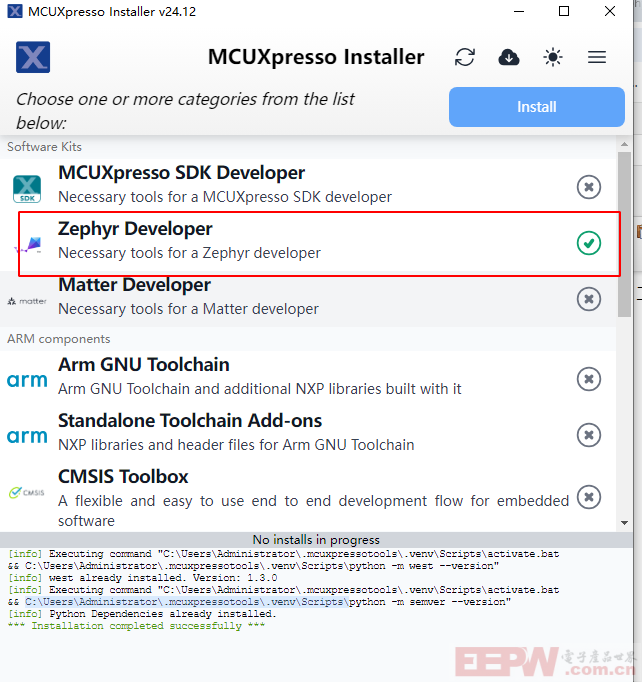
Zephyr 的开发依赖west/cmake/python 等工具,这些工具的安装我们可以使用NXP 的MCUXpresso installer 工具来安装。
MCUXpresso installer下载地址:
https://github.com/nxp-mcuxpresso/vscode-for-mcux/wiki/Dependency-Installation 。
安装完成,点击Zephyr Developer 工具来打包下载。
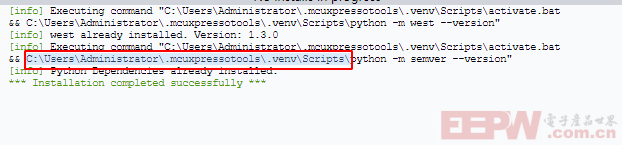
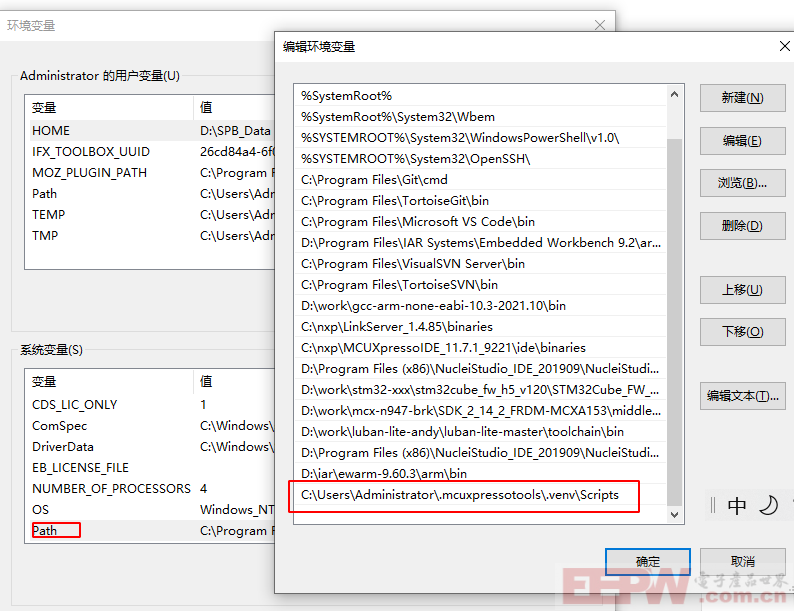
安装完成后依赖的工具会被安装到如下路径(C:\Users\Administrator\.mcuxpressotools\.venv\Scripts\)
【问题1】
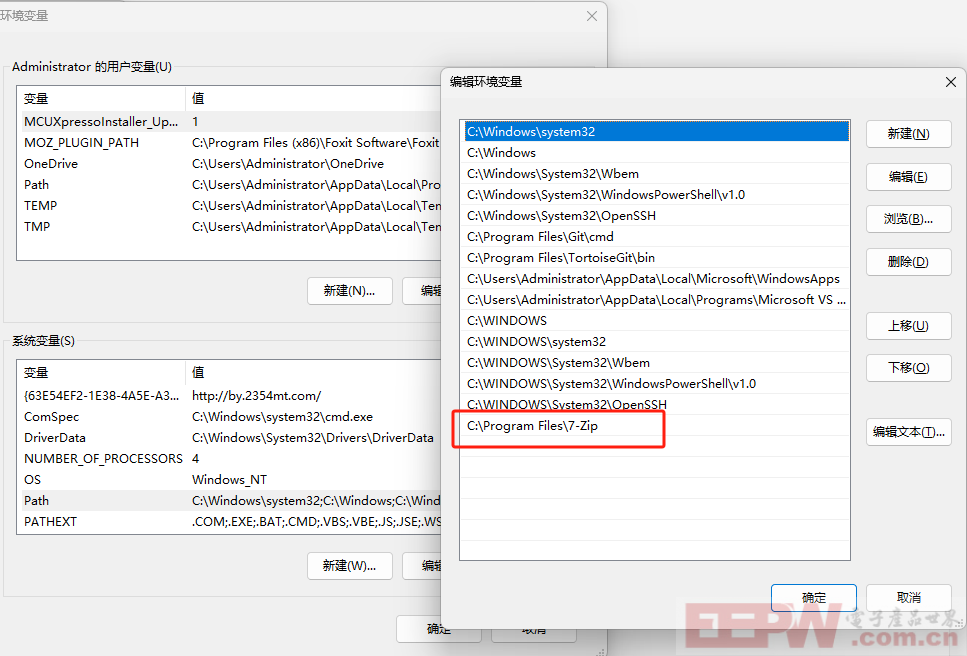
安装过程中遇到无7z 命令

解决办法将7Z 加入到系统环境变量中
查看该目录下west,python 等依赖工具已经被安装,后续我们可以使用这些工具进行编译代码
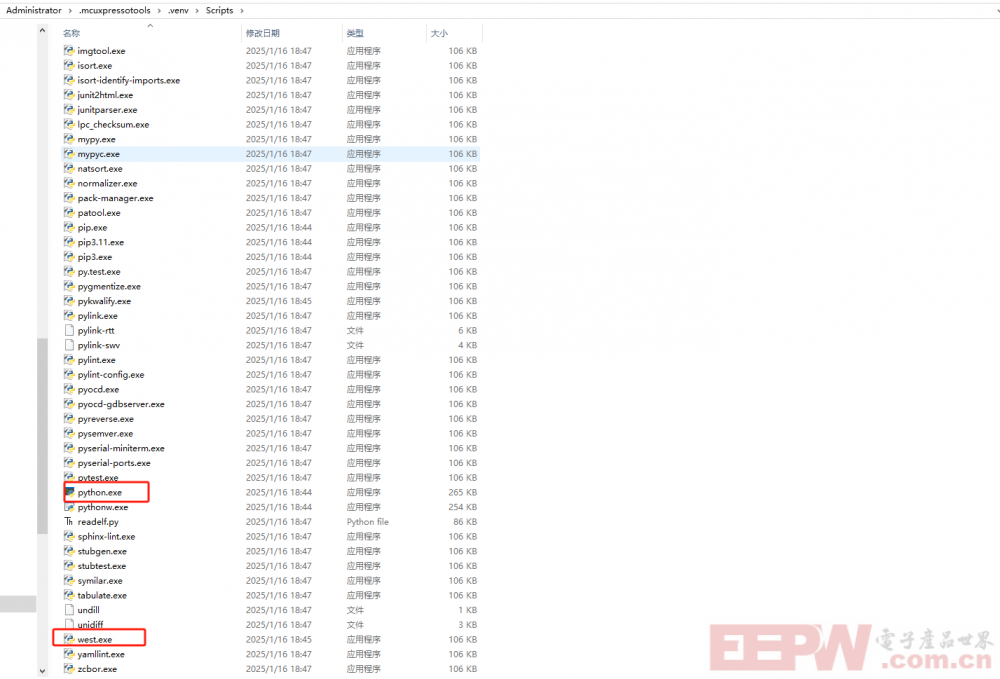
将如下路径添加到windows的环境来使用安装的west 命令来获取Zephyr 代码
【使用west工具下载代码】
使用 west init zephyrproject 命令下载zephyr 源代码
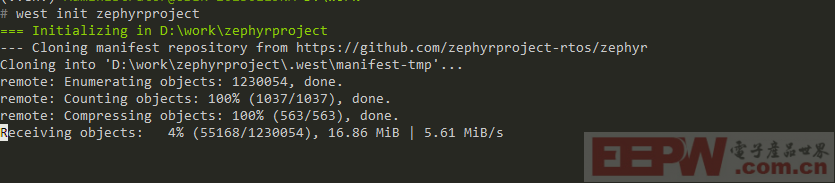
上述命令执行完会提示进入zephyrproject 目录执行west update 更新依赖的软件包
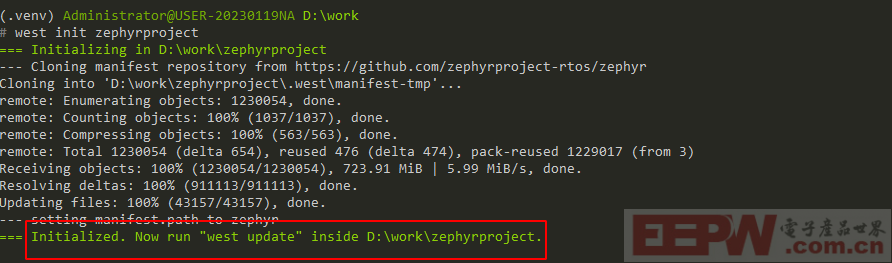
跳入到zephyrproject 目录执行上述命令,更新过程相对会需要些时间喝杯咖啡慢慢等待。

按照如下命令安装sdk
wget https://github.com/zephyrproject-rtos/sdk-ng/releases/download/v0.17.0/zephyr-sdk-0.17.0_windows-x86_64.7z
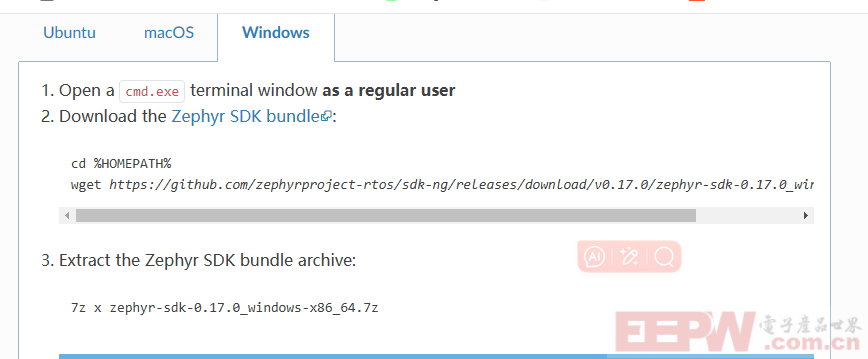
SDK 中主要包含zephyr 开发依赖的工具链
The Zephyr Software Development Kit (SDK) contains GNU and LLVM toolchains for each of Zephyr’s supported architectures. It also includes additional host tools, such as custom QEMU and OpenOCD.
Use of the Zephyr SDK is highly recommended and may even be required under certain conditions (for example, running tests in QEMU for some architectures).
【代码编译】
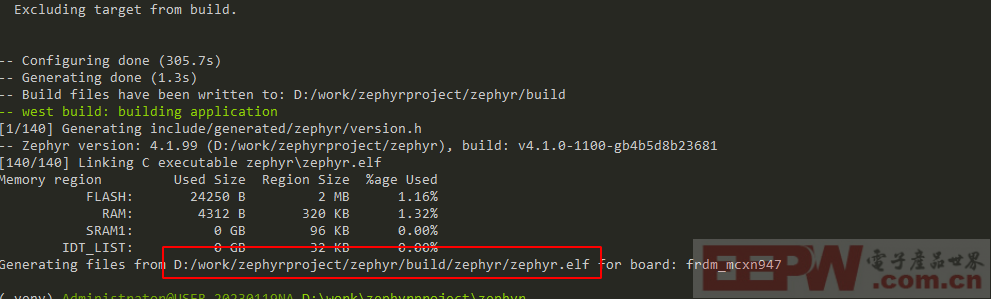
更新好代码后我们可以使用west 命令来编译程序,我们来编译入门级的应用helllo word 打印程序
使用west build -p always -b frdm_mcxn947/mcxn947/cpu0 samples/hello_world 命令即可编译基于MCXN947 开发板的可执行程序。
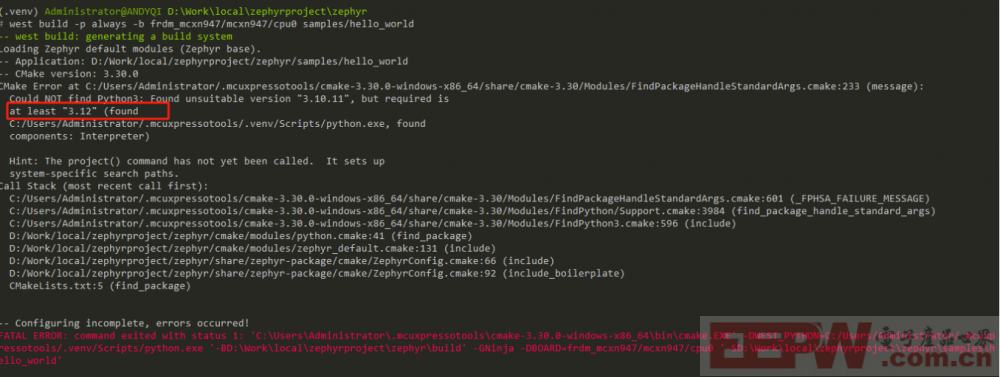
如果在编译过程中遇到如下错误,需要更新python 版本并重新使用MCUXpresso installer 更新以来的环境。



 我要赚赏金
我要赚赏金 STM32
STM32 MCU
MCU 通讯及无线技术
 物联网技术
物联网技术 电子DIY
电子DIY 板卡试用
板卡试用 基础知识
基础知识 软件与操作系统
 我爱生活
我爱生活 小e食堂
小e食堂

